“Build a full-stack production app in 60 minutes with one prompt.”
You’ve seen the videos. A YouTuber opens a terminal, types a paragraph into an AI tool, and watches code pour across the screen. Sixty minutes later, they have a working app. The comments erupt: This changes everything. Developers are finished. I built my SaaS in a weekend.
I spent 26 hours and $200 building an app with AI. Not because I’m slow. Because I was building something real.
Here’s what those videos never show you.
What I Actually Built
Not a todo app. Not a landing page with a Stripe button. A gated learning platform with SSO authentication, community spaces, course management, file uploads, threaded comments, notifications, and role-based access control.
The tech stack: Next.js 16, PostgreSQL 18, Redis, Prisma ORM, Docker with hardened images, Cloudflare Tunnel, and Authentik for single sign-on. Five Docker containers running on isolated networks, behind TLS 1.3, on a VPS I manage myself.
This is what real production software looks like. It has users. It handles their data. It faces the open internet. The bar for “it works” is completely different from “it runs on localhost.”
Yes, Circle.so platform was inspiration 🙂 And yes, of course I am planning to open-source to anyone. Done with WordPress plugins and other apps.
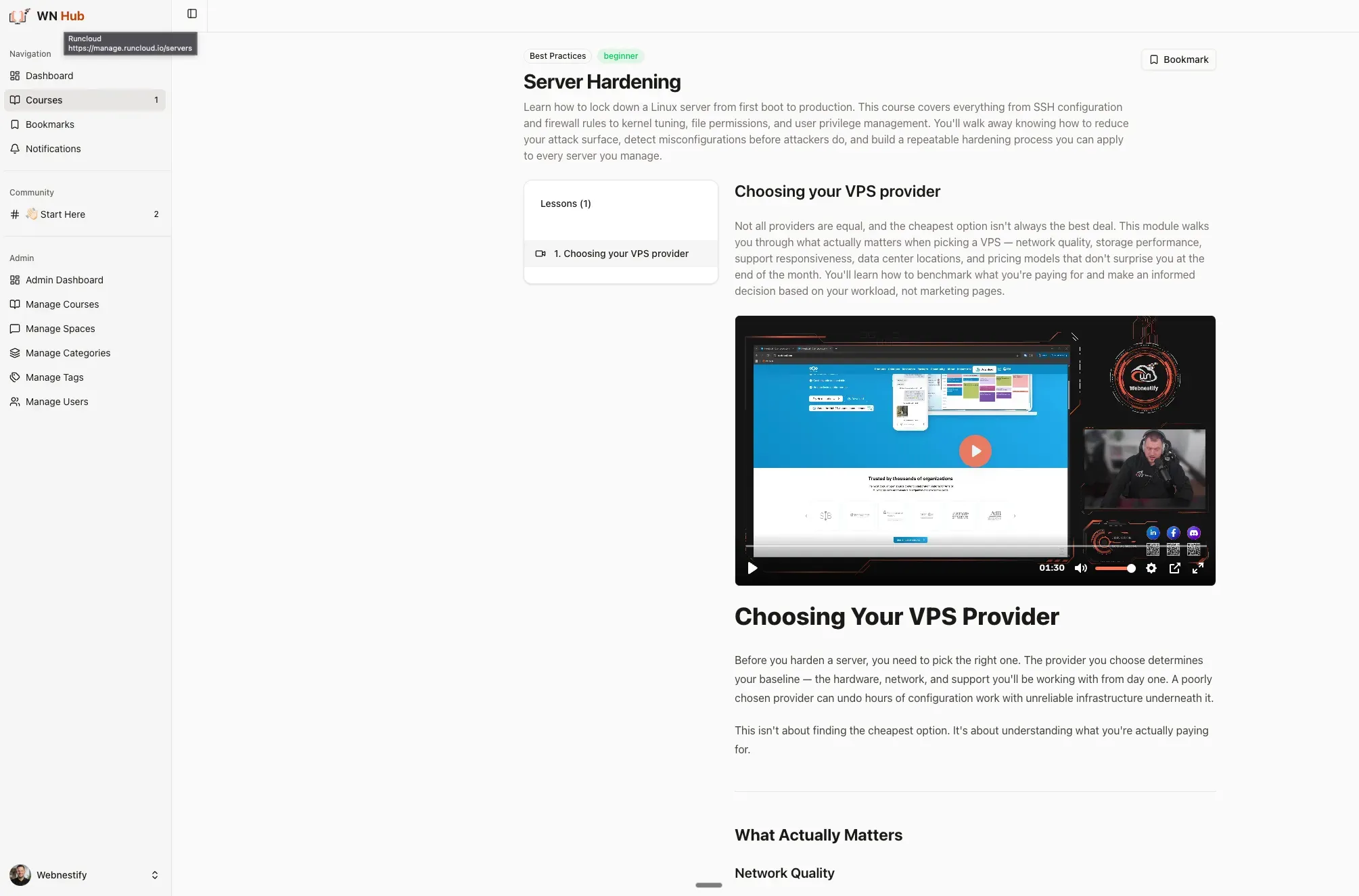
The actual Webnestify Hub dashboard, live at webnestify.cloud/hub. Built across 26 hours of AI-assisted work, deployed behind a hardened Docker stack on infrastructure I control.
Fourteen Hours Before a Single Line of Code
The spec took longer than half the coding.
Fourteen hours. A 940-line design document. Every data model, every API endpoint, every security constraint, every edge case. All written down before I opened an editor.
I didn’t write it alone. I drafted it with Claude, then ran it through Gemini for a second opinion. Where the two models disagreed, I dug deeper. Where they agreed too easily, I pushed harder. I asked about GDPR compliance, about what happens when a user deletes their account, about how to handle malicious file uploads, about what Content-Security-Policy rules to set.
The AI helped me write the spec faster. But I decided what went into it. I knew which questions to ask because I’ve been managing servers and deploying applications for years. The AI didn’t volunteer most of the security requirements. I demanded them.
Specs are boring. Nobody on YouTube makes a video about writing one. But the spec is the foundation. Every architectural decision, every security measure, every data model flows from that document. Skip it, and you’re building on sand.
We shipped eight development phases with almost no rework. Not because the AI was smart, but because the spec was solid.
What AI Won’t Tell You
Ask an AI to “build me a file upload feature” and it will. The files upload. The demo works. Here’s what it probably won’t do unless you specifically ask:
It stores files with their original names. An attacker uploads a file named ../../../etc/passwd and your app helpfully writes it exactly where they asked. We replaced every filename with a random ID, verified the resolved path stays inside the upload directory, and determined content type from the file’s actual bytes, not its extension.
It skips security headers. No Content-Security-Policy, no X-Frame-Options, no Permissions-Policy. Your browser will happily execute any script an attacker injects. We locked down every header: scripts only from our domain and two analytics providers, frames only from our video CDN, no camera or microphone access, no geolocation.
It sanitizes HTML once, on render. We sanitize twice: when the user saves their post, and again when anyone views it. If the database gets compromised, the render-time sanitization catches anything that slipped through. Belt and suspenders.
It runs containers as root. Every beginner Docker tutorial does this. One exploited dependency, and the attacker owns the container. We run as a non-root user (UID 1001), drop every Linux capability, set the filesystem to read-only, limit PIDs to prevent fork bombs, and cap memory to prevent one container from killing the host.
This problem goes beyond AI. Browse GitHub for Docker Compose projects: tutorials, starter templates, open-source apps. Most of them ship with zero security hardening. No capability restrictions. No read-only filesystems. No memory or PID limits. No private networks isolating the database from the internet. No IPC isolation. No tmpfs for writable paths. No log rotation. Containers run as root with full access to the host’s resources, and every service sits on the same default network. People copy these files into production because a tutorial told them to, and they never question what’s missing. The Docker Compose file is infrastructure as code. Treat it like code, and harden it like you’d harden a server.
And it’s not just the obvious stuff. Rename a .exe to .jpg, and a naive server will serve it as an image. AI-generated code trusts file extensions. We read the file’s magic bytes, the actual binary signature, to determine what it is. The extension is decoration; the bytes are truth. We also check image dimensions before processing, because a 1-pixel PNG that decompresses to 8000 by 8000 pixels will eat your server’s memory alive.
None of this is exotic. These are standard security practices, documented in the OWASP Top 10 for years. But AI won’t apply them unless you tell it to. And you can only tell it to if you know they exist.
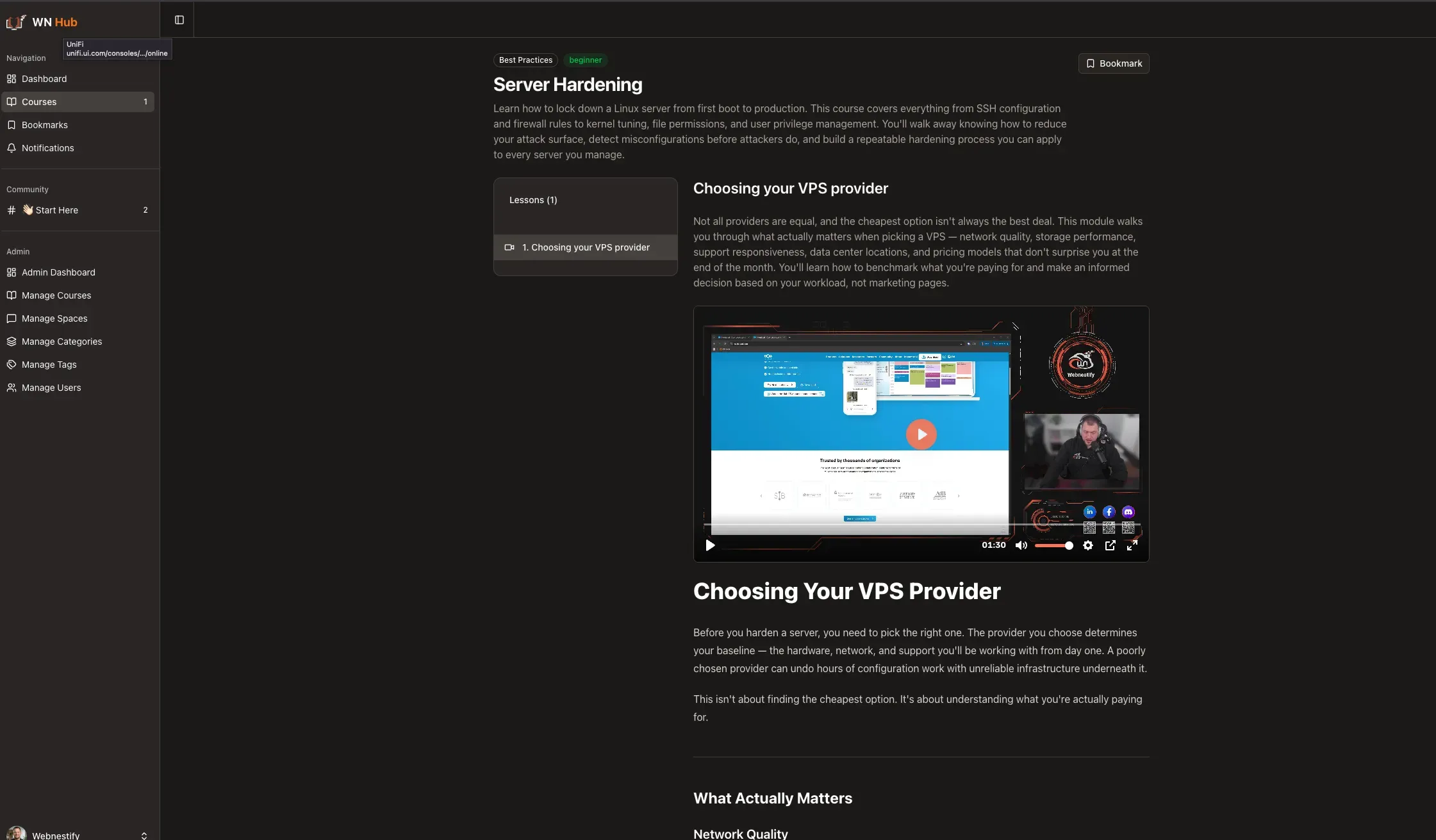
Community spaces with role-based access controls. Every input is sanitized twice (on save and on render) and every file upload is validated by magic bytes, not extensions.
The Deployment Was a War
The app ran perfectly on localhost. Then I deployed it.
I use Docker Hardened Images. Stripped-down, distroless containers with minimal attack surface. The Node.js image had no shell. No npm. No ls. No way to poke around inside the container when things went wrong. I had to restructure the entire Dockerfile to use Alpine Linux for the build stages and the hardened image only for the final runtime.
Postgres refused to start because the hardened image runs as UID 70, not 1001 like every tutorial assumes. The data directory needed specific ownership and tmpfs mounts with matching UID/GID settings. I’d never seen UID 70 in a Postgres container before. I had to inspect the image to figure out what user it expected.
The Cloudflare Tunnel silently failed. No error, no timeout message, just… nothing. The tunnel uses QUIC by default, which needs UDP port 7844. My firewall blocks it. The fix was one flag (--protocol http2), but finding the cause took real debugging.
Every CSS file and JavaScript bundle returned 404. The app loaded a blank page with no styles. The custom HTTPS server was missing one internal Next.js environment variable, __NEXT_PRIVATE_STANDALONE_CONFIG, that tells the framework where to find its own static files. That variable isn’t documented anywhere obvious. I found it by reading Next.js source code.
The health check returned 403 Forbidden because the app validated the request’s source IP, and inside a Docker container, the source IP is 127.0.0.1, not the server’s public address.
Fifteen bugs like these. Every one required specific knowledge about Docker, Linux, networking, or the framework’s internals. Not one of them would show up in a “build with AI in 60 minutes” demo, because those demos never leave localhost.
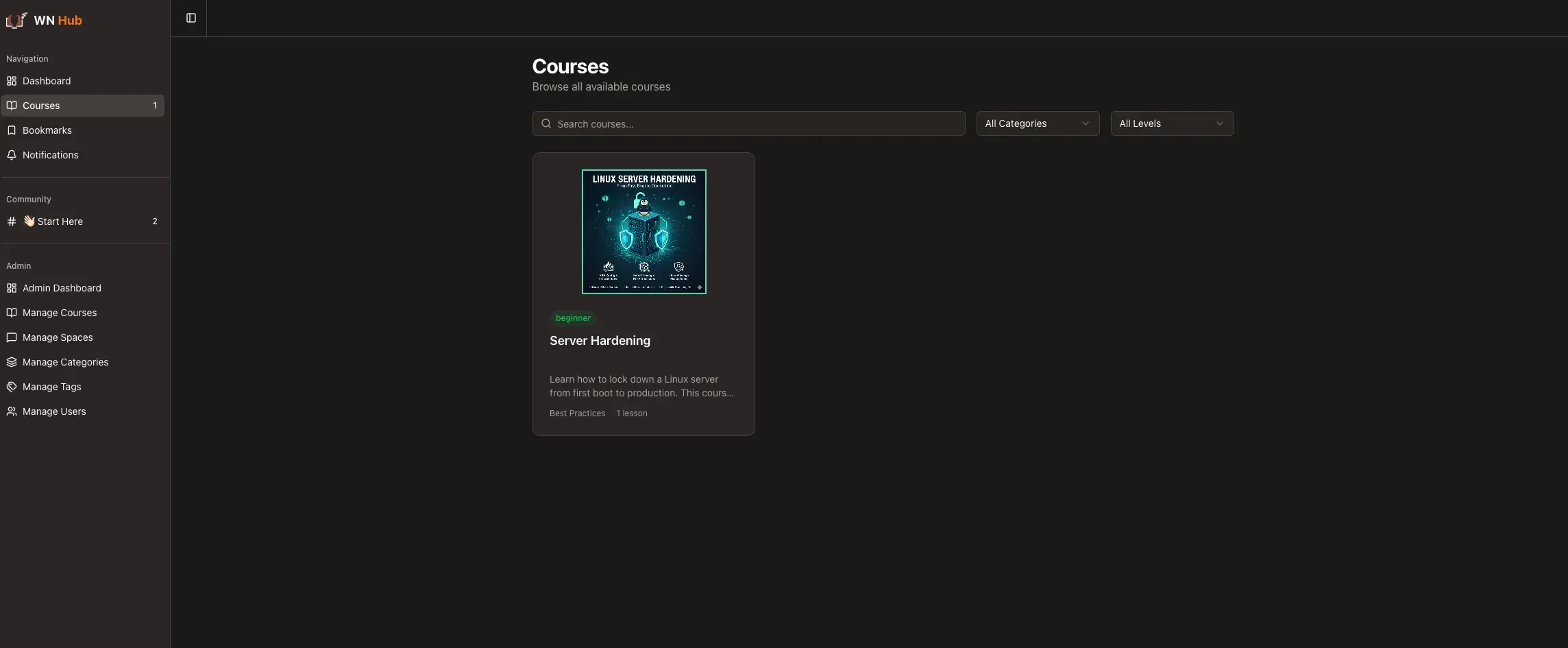
Course management interface, one of the eight phases that shipped with almost no rework after the 940-line spec. The visible polish came from the spec; the production stability came from fighting fifteen deployment bugs that only appeared off localhost.
You Can’t Secure What You Don’t Understand
The problem with the “one prompt” approach is simple: if you don’t know what path traversal is, you won’t ask the AI to prevent it.
A marketing professional who watched a YouTube video and decided to build a SaaS with AI will get a working prototype. The login page loads. The forms submit. The data saves. It looks professional. It might even impress investors.
But the HTML inputs aren’t sanitized. The Docker container runs as root with every capability enabled. There are no security headers. The file upload accepts anything. The database credentials sit in a JavaScript bundle shipped to the browser. The session tokens never expire.
The app works. It’s also a liability.
AI writes exactly what you ask for. The gap between “a working demo” and “production software” is filled by everything you know to ask for, and everything you’ve learned the hard way from years of servers going down at 3 AM, security audits that found real vulnerabilities, and deployments that failed in ways no tutorial prepared you for.
The Real Numbers
Nobody on YouTube shares these, so I will.
- 14 hours writing and refining the spec
- 12 hours coding eight development phases and deploying
- 26 hours total, across multiple sessions
- 940 lines in the design document
- 92 tests covering security-critical code paths
- 50+ security measures across seven layers (auth, data, input, files, headers, database, infrastructure)
- 15+ deployment bugs that only appeared in production
- $200/month subscription (flat rate; the equivalent API usage would have cost $225)
These are real numbers from a real project. The app is running. Users sign in through SSO, browse courses, post in community spaces, upload files. It’s behind a hardened Docker deployment with TLS, isolated networks, and read-only filesystems.
It took 26 hours, not 60 minutes. And I’m a server admin who does this for a living.

Real token usage during the build. The flat-rate subscription was cheaper than pay-as-you-go for sustained, deep work; pay-as-you-go is the right call for short bursts of small tasks.
How to Use AI Without Losing Your Mind
I’m not here to tell you AI is bad. I use it every day. It’s a seriously great tool that speeds up spec writing, code generation, debugging, deployment. Work that might have taken weeks compressed into hours. I wouldn’t go back.
But the mistake I see everywhere is blind trust. People paste AI output into their projects without reading it, without verifying it, without questioning it. AI is not right 100% of the time. It generates confident-sounding code that compiles, runs, and passes a quick demo. That confidence is exactly what makes it dangerous. You need enough knowledge to argue with the output. To look at what it generated and say “no, that’s wrong” or “that’s missing something.” If you can’t do that, you’re not using a tool. You’re gambling.
This is what responsible AI usage looks like in practice:
Learn the fundamentals first. Security, networking, databases, Linux administration. You don’t need to be an expert in all of them, but you need to know enough to spot when AI gives you something dangerous. If you can’t read a Dockerfile and notice it runs as root, AI will ship that Dockerfile to production.
Write the spec before the code. Spend the boring hours deciding what you’re building, how data flows, what security constraints matter. The AI will help you write it faster, but you choose what goes in.
Use multiple models. I ran the same spec through Claude and Gemini. Different models have different blind spots. Where they disagree, that’s where the interesting decisions live.
Read what AI generates. Every line. If you can’t understand a piece of code the AI wrote, don’t ship it. You’ll have to debug it at midnight when it breaks, and “the AI wrote it” won’t help you then.
Challenge the output. Ask “what security vulnerabilities does this have?” Ask “what happens if a malicious user does X?” AI is honest when you ask the right questions. It just won’t volunteer the answers.
The Power Saw
AI is the most powerful coding tool I’ve ever used. I mean that.
But a power saw doesn’t make you a carpenter. You can cut wood faster than ever before, and you can also cut your hand off faster than ever before. The tool doesn’t know the difference. You do.
The YouTubers aren’t lying when they say AI can build an app in 60 minutes. They’re just not telling you what kind of app it is. A demo. A prototype. Something that works until it meets real users, real attackers, and real infrastructure.
Production software is built by people who understand what they’re building. AI makes them faster. It doesn’t make them unnecessary.
Learn your craft. Then let AI amplify it.
If you have the workflows in your head but not the hours to build them, the Operations & Workflow Strategy engagement is the version where I sit with you, scope the automation, and ship the pipeline. AI is the tool; the strategy is the part that has to be human.
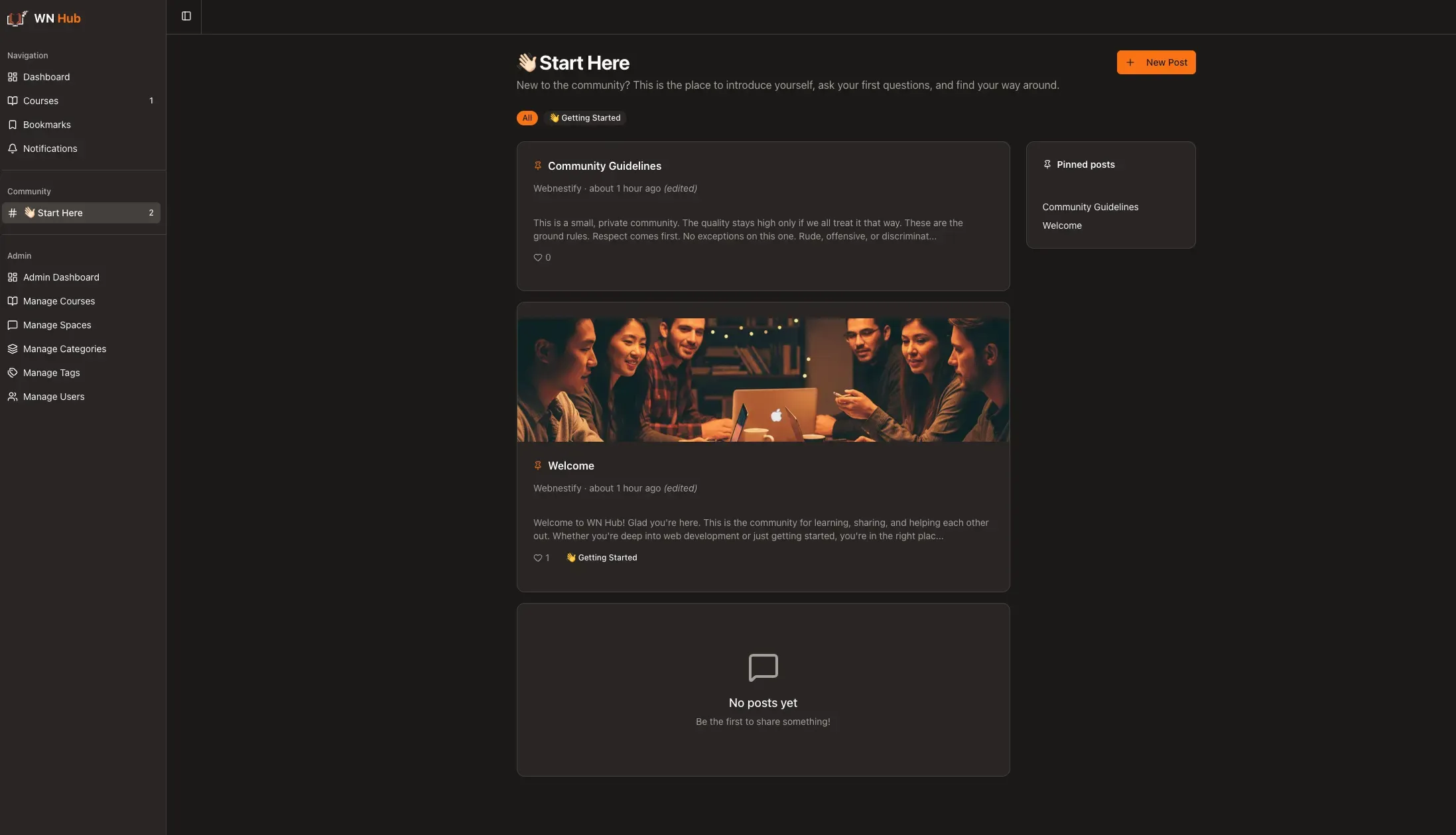
The admin dashboard. The shipped product is live at webnestify.cloud/hub, running on the same hardened infrastructure pattern I deploy for managed clients through the Cloud Infrastructure Audit & Hardening engagement.