I audited xCloud’s Docker stack this month. Short version: the foundation is genuinely solid. Most managed-hosting platforms I have reviewed had at least one ugly surprise on the way in: a default-credentials database reachable from the public internet, a container with the root Docker socket mounted into it, host .env files readable by every user on the box. xCloud has none of those.
What separates a capable platform from a secure-by-default one is whether the hardening work happens by default or only when a customer knows to ask for it. Mass-market customers should not have to be DevSecOps engineers to get a sandboxed app. xCloud is most of the way there. Below is what the baseline already gets right, and the work I would ship next.
What this xCloud security review found at the baseline
If you are evaluating xCloud’s architecture, the baseline is the exact thing you want a server-management tool to ship. The hard parts are already wired up:
- No accidental exposure on the web stack. Web application containers bind ports to
127.0.0.1only. The public-facing Nginx reverse proxy routes traffic to those local ports. Internal database sidecars bundled with a web app (the MySQL next to Nextcloud, the MongoDB next to LibreChat) have no public port mapping at all. Nothing inside a web app is reachable from the public internet except through the proxy. - Standalone data-service templates expose their port on purpose. When a customer deploys Postgres, MariaDB, Redis, or MongoDB as its own 1-click, the template binds to
0.0.0.0:${PORT_*}because remote database access for an external app is the feature. Per-service authentication and the host firewall provide the layered protection. - Per-app isolation, two layers deep. Every app runs on its own Docker bridge network and is owned by a unique Linux user on the host. The host user also maps into the container: Nextcloud’s template sets
user: "1005:1005"matched to the host useru3_nx_qyet; LibreChat setsuser: "1010:1010"matched tou9_libr_8n8f. The container UID equals the host UID for the app’s main process. A container escape lands at that dedicated host user. Root and the operator’s admin account stay out of reach. This is the per-tier compartmentalization I unpack in my defense in depth web application architecture walkthrough. - Enforced AppArmor. A Linux Mandatory Access Control profile is active on every container. Unauthorized host reads and writes get denied at the kernel level, not at the app’s polite request.
- Solid host fundamentals. UFW is configured. SSH access can be locked to specific IPs. Fail2ban drops brute-force attempts automatically. Unattended security upgrades are on.
- Protected Docker socket. The daemon socket has the right file permissions and is never mounted inside an app container. That is the single most common container-escape vector in the wild, and it is closed.
- Sensible
daemon.jsondefaults already in place. xCloud actually ships an/etc/docker/daemon.jsonrather than running on Docker’s bare factory defaults. They pinoverlay2as the storage driver and configure log rotation (10 MB × 3 files = 30 MB cap per container). That single decision prevents the most common shared-host P0 outage I see: a single noisy container filling the disk and taking the neighbors down with it. - Per-container memory and CPU limits. The generated Compose files set
mem_limitandcpusper service (Nextcloud at1g / 1.0, its MySQL sidecar at512m / 0.5, OpenWebUI at1g / 0.2). A buggy or compromised container can hit its own ceiling without exhausting the host. Most managed-hosting panels skip this entirely. - Per-app capability additions where the workload actually needs them. The WireGuard 1-click ships
cap_add: NET_ADMIN, SYS_MODULEbecause WireGuard cannot create a kernel-mode network interface without them. xCloud’s templates deviate per app where the workload demands it, rather than forcing one generic snippet across every container. That muscle exists. The section on capability dropping below builds on it.
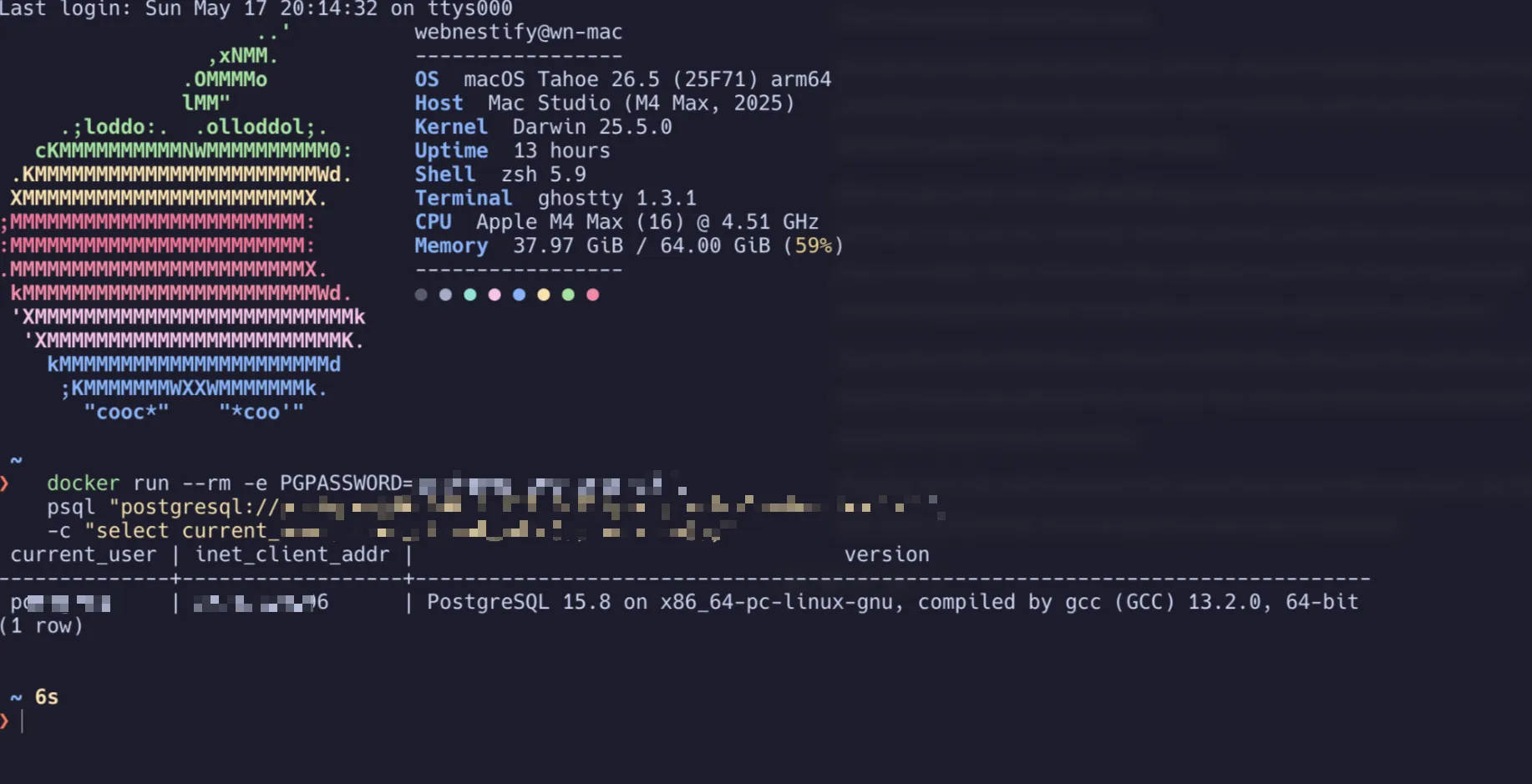
Proof-of-concept evidence from the coordinated disclosure described above. Identifying details are redacted while the fix is pending; full technical detail will accompany the writeup after remediation.
The socket protection matters more than it sounds. Mounting /var/run/docker.sock into a container is functionally the same as giving that container root on the host, because the socket controls the daemon and the daemon runs as root. I have seen production deployments on other panels with that mount baked in for “convenience.” xCloud refuses to do it. Good.
What xCloud should ship by default: a hardened daemon.json
Technical users can SSH in and harden their own box. Mass-market users will not. That is where xCloud has two cheap wins available, both reversible config changes that raise the security floor without touching customer workloads.
The first is /etc/docker/daemon.json. As noted in the baseline section, xCloud already ships a partial config here on every fresh server. The file looks like this out of the box:
{
    "log-driver": "json-file",
    "log-opts": {
        "max-size": "10m",
        "max-file": "3"
    },
    "storage-driver": "overlay2"
}
That is more than most managed-hosting panels bother with. Log rotation and an explicit overlay2 pin are two of the most operationally important settings, locked in before the customer ever logs in. The four keys I would add on top, to bring the daemon config up to a fully hardened baseline:
{
    "live-restore": true,
    "userland-proxy": false,
    "no-new-privileges": true,
    "log-driver": "json-file",
    "log-opts": {
        "max-size": "10m",
        "max-file": "3"
    },
    "storage-driver": "overlay2",
    "default-ulimits": {
        "nofile": {
            "Name": "nofile",
            "Hard": 65536,
            "Soft": 65536
        }
    }
}
What each addition actually buys:
live-restore: truekeeps containers running when the Docker engine restarts. xCloud can roll out upstream Docker patches without forcing customer maintenance windows. Worth shipping on its own.userland-proxy: falselets the kernel handle port forwarding via iptables instead of spinning up a userlanddocker-proxyprocess per published port. Each removed proxy is one less process to monitor and a small piece of attack surface that disappears.no-new-privileges: trueblocks containerized processes from gaining new privileges via setuid binaries. A small but global guarantee that an app process cannot escalate inside its container.default-ulimits.nofilecaps open file descriptors per container at 65,536. Without it, each container inherits the host’s default (usually 1024), which a modestly busy web app blows through fast. This is the file-descriptor twin of the log rotation xCloud already ships: both close the same class of “a single container starves the host of a finite resource” failure mode.
If you are a technical xCloud customer, you do not need to wait for the platform to ship these. Merge the four additions above into the existing /etc/docker/daemon.json on your host, run sudo systemctl restart docker, and you have a fully hardened baseline today. Containers stay up across the restart because live-restore takes effect immediately. For the wider host-side picture (SSH, firewall, kernel sysctls, fail2ban tuning), my Linux server security fundamentals guide covers what to layer on top.
Per-app Compose hardening worth auto-injecting
The second one is per-app, not host-wide. Docker Compose has built-in hardening primitives that most operators never set because they have to know to set them. xCloud’s deployment engine generates the Compose file for every customer app, which puts it in the perfect position to inject a small safety block by default.
security_opt:
  - no-new-privileges:true
ipc: "private"
read_only: true
tmpfs:
  - /tmp
  - /run
Two things this block does:
- Ephemeral backdoors only.
read_only: truemakes the container filesystem unwritable except for the explicit tmpfs mounts, which live in RAM. If a WordPress install gets popped through a plugin RCE, the attacker can write a webshell to/tmp, but not to/var/www/htmlor anywhere else on disk. A container restart wipes the webshell. The attacker has to re-exploit the original bug every restart to maintain persistence, which is a much harder long-term position than dropping a single PHP file and walking away. - Explicit IPC isolation.
ipc: "private"forces every container into its own IPC namespace. Modern Docker defaults to this already, so for most hosts this is belt-and-braces. The reason to set it explicitly anyway: a daemon configured with--default-ipc-mode=shareable(the legacy default, still settable today) silently puts containers into a shared IPC namespace where one workload can read another’s POSIX shared memory. Declaringipc: "private"in the Compose file overrides that and documents the intent for any future operator reading the file.
The constraints are real. Some apps that assume a writable filesystem will need extra tmpfs mounts for cache directories, and some images that ship with privileged entrypoints will need work. Most modern stacks (WordPress, Ghost, Strapi, Next.js, Laravel) tolerate this block with at most one extra tmpfs line.
Capability dropping: per-app templates, not a universal block
There is a third lever, and it is the highest-impact container hardening of the lot. It does not fit cleanly in the universal block above.
Docker grants every container 14 Linux capabilities by default. Most CMS exploit chains I have cleaned up assume those defaults are present — remove them, and a large chunk of the chain falls apart. The mitigation is cap_drop: ALL plus a minimal cap_add allowlist of only what the app actually needs. The catch is that “what the app actually needs” varies by app, and a wrong allowlist silently breaks things in ways that are painful to debug days later.
What the 14 default capabilities actually do
Before getting into per-app cases, it helps to know what is in the default set in the first place. In plain English:
| Capability | What it actually does |
|---|---|
AUDIT_WRITE | Lets the process write entries into Linux’s audit log. Used by security-monitoring tools. A normal web app never writes here. |
CHOWN | Lets the process change file ownership. Database images sometimes need this at startup to claim ownership of their data directory. Most app code doesn’t. |
DAC_OVERRIDE | Lets the process ignore standard file permission checks — read or write any file regardless of its permission bits. Almost nothing legitimate needs this. |
FOWNER | Lets the process act on files as if it owned them, even when it doesn’t. Same database-startup pattern as CHOWN. Rare otherwise. |
FSETID | Preserves the setuid/setgid bits on a file even after it is modified. Esoteric — used by package managers, not by deployed apps. |
KILL | Lets the process send signals (shutdown, reload, etc.) to processes it does not own. A normal app only signals its own children, which does not require this. |
MKNOD | Lets the process create device files (the special files in /dev that represent hardware). A web app has no legitimate reason to invent device nodes. |
NET_BIND_SERVICE | Lets the process listen on network ports below 1024, including port 80 (HTTP) and 443 (HTTPS). Required when the web server binds those ports directly inside the container. |
NET_RAW | Lets the process open raw network sockets — the kind ping, traceroute, and packet sniffers use. A normal web app does not. If a plugin asks for it, ask why. |
SETFCAP | Lets the process assign Linux capabilities to a file. Used during image build, not at runtime. |
SETGID | Lets the process switch its group identity. Init scripts demote from root to a worker group once at startup. |
SETPCAP | Lets the process modify which capabilities other processes have. Used by init systems before they hand off to the application. |
SETUID | Lets the process switch its user identity. Same pattern as SETGID — init scripts demote from root to a worker user once at startup. |
SYS_CHROOT | Lets the process change the apparent root of the filesystem (chroot). Build tools and security sandboxes use this; a deployed app does not. |
Of the fourteen, most web apps legitimately need three: SETUID and SETGID to demote from root to a worker user once at startup, and NET_BIND_SERVICE if the web server binds port 80 or 443 inside the container. The other eleven are reasonable defaults to drop. Apps that need more (the WireGuard, Ollama-with-GPU, and Chrome-sandbox cases below) need them explicitly, not by accident.
What different apps in xCloud’s catalog actually need
Look at xCloud’s own 1-click catalog and the variation is right there:
- Nextcloud, OpenWebUI, LibreChat, Umami, and most of Supabase’s stack:
SETUID,SETGID,NET_BIND_SERVICE. Standard PHP / Node / Go web apps demote from root to a worker user at startup, then the web server binds port 80 inside the container. Three caps cover them. - Supabase’s PostgreSQL container specifically: the standard three plus
CHOWNandFOWNER. The upstream Postgres image starts as root, claims ownership of/var/lib/postgresql/data, then drops to thepostgresuser. Without those caps the container fails to initialise the data directory on first boot. - Ollama with GPU passthrough: the standard three plus
SYS_NICEand access to/dev/nvidia*. The NVIDIA runtime adjusts process scheduling priorities for compute kernels. - WireGuard (also in xCloud’s catalog today): a completely different set. WireGuard needs
NET_ADMINto create and manage the kernel-mode network interface. Drop that one cap and the daemon returnsEPERMand refuses to start. You cannot run WireGuard with the standardSETUID/SETGID/NET_BIND_SERVICEallowlist — it has nothing to do with what the rest of the catalog needs. - Future additions like a Headless Chrome PDF generator: the standard three plus
SYS_ADMIN. Chrome’s sandbox usesclone(CLONE_NEWUSER), which needsSYS_ADMINinside the container or the sandbox refuses to start. Symptoms when missing: empty PDFs, hung jobs, silent failures.
WireGuard is the slam dunk in that list, and the actual catalog confirms it. The WireGuard 1-click ships cap_add: NET_ADMIN, SYS_MODULE (verified by reading the template) because WireGuard cannot create a kernel-mode network interface without them. xCloud’s per-app capability awareness is real and already in production. Half of the pattern is in place. The other half is pairing those cap_add lines with cap_drop: ALL so the 14 default capabilities (most of which WireGuard does not need either) actually go away. Today WireGuard runs with the full 14 defaults plus the two it actually needs, when it could run with just the two.
This is the layer where a 1-click catalog actually earns the convenience it sells. xCloud knows which app is being deployed: that is the whole point of the catalog. They could maintain per-app capability templates (nextcloud.cap, wireguard.cap, ollama-gpu.cap, postgres.cap) and inject the right set per generated Compose. A customer self-hosting on their own box has to figure this out per app, read upstream docs, and debug silent failures. A platform with a 1-click catalog can do the work once per app, then ship the right set to every customer who deploys that template.
The principle is the same regardless: drop all default capabilities, add back only what each specific app actually needs. That implementation belongs at the platform layer rather than in a one-size-fits-all snippet glued onto every Compose file.
Rolling the existing patterns across the catalog
Across the catalog, every pattern I would recommend at the platform layer is already shipping in some 1-click app. Three of them are worth rolling out everywhere.
Per-app user: mapping. Nextcloud (user: "1005:1005" mapped to host user u3_nx_qyet) and LibreChat (user: "1010:1010" mapped to u9_libr_8n8f) already ship this pattern correctly: the container’s main process runs as a dedicated host UID rather than as root. The host-level user isolation that xCloud already does per app collapses cleanly into the in-container UID, so a container escape lands at that dedicated host user, not at root. Applying the same template treatment across every 1-click closes one of the highest-leverage gaps in any Docker hosting platform.
Image-tag pinning. WireGuard pins wg-easy:15.2.1. The bundled MySQL next to Nextcloud pins mysql:8.0. The bundled MongoDB next to LibreChat pins mongo:7.0. Every Supabase service pins to a specific version. The same discipline applied across every catalog template gives customers reproducible deployments and a real rollback path. A supply-chain change at the upstream registry then becomes an explicit decision (update the tag, redeploy) rather than something that happens to a customer’s install at 3 AM the next time the image is pulled.
Per-service UID mapping for multi-service stacks. Single-container 1-clicks have one service to harden, and xCloud’s per-app pattern handles them cleanly. Larger stacks like Supabase run more than a dozen containers, which introduces more surface area where the per-service user: mapping needs to land consistently. The principle is unchanged (dedicate a host UID per service in a reserved range), but the implementation work scales with the size of the stack.
Closing the loop: from highly capable to secure by default
xCloud already does the hardest 90% of secure managed hosting. Network isolation, dedicated host users per app with explicit container-UID mapping, a configured firewall, AppArmor profiles on every container, partial daemon.json hardening, per-container memory and CPU limits, per-app capability additions where the workload demands them. None of that is a given on competing panels. I have audited tools that get one or two of those right. xCloud gets the lot.
Every remaining pattern I would recommend is already present somewhere in the catalog. Per-app non-root execution: Nextcloud and LibreChat have it. Per-app cap_add: WireGuard has it. Pinned image tags: WireGuard and every Supabase service have them. The platform’s engineering muscle is there. The work isn’t building new infrastructure. It is applying the patterns you already have consistently across every 1-click, and combining them within each template.
The four daemon.json additions, the universal Compose hardening block, cap_drop: ALL pairing with the existing per-app cap_add patterns, and rolling the user: mapping and image-tag pinning patterns across every 1-click. None of those changes touch customer workloads. None are research projects. They are config files in the provisioner and a handful of template tweaks. The gap between “highly capable” and “secure by default” closes when every pattern already shipping in some 1-click apps ships in all of them.
If you want this same audit run against your own stack (xCloud, a custom Hetzner box, an OpenLiteSpeed panel, whatever you happen to run), that is what my Cloud Infrastructure Audit & Hardening engagement is for. Read-only access, two-week turnaround, a Blueprint Report you can read on a phone with critical fixes separated from nice-to-haves.